How to Use GSAP ScrollTrigger in Webflow for Engaging Effects
In this guide, we'll walk you through how to integrate GSAP ScrollTrigger in Webflow to create stunning effects.


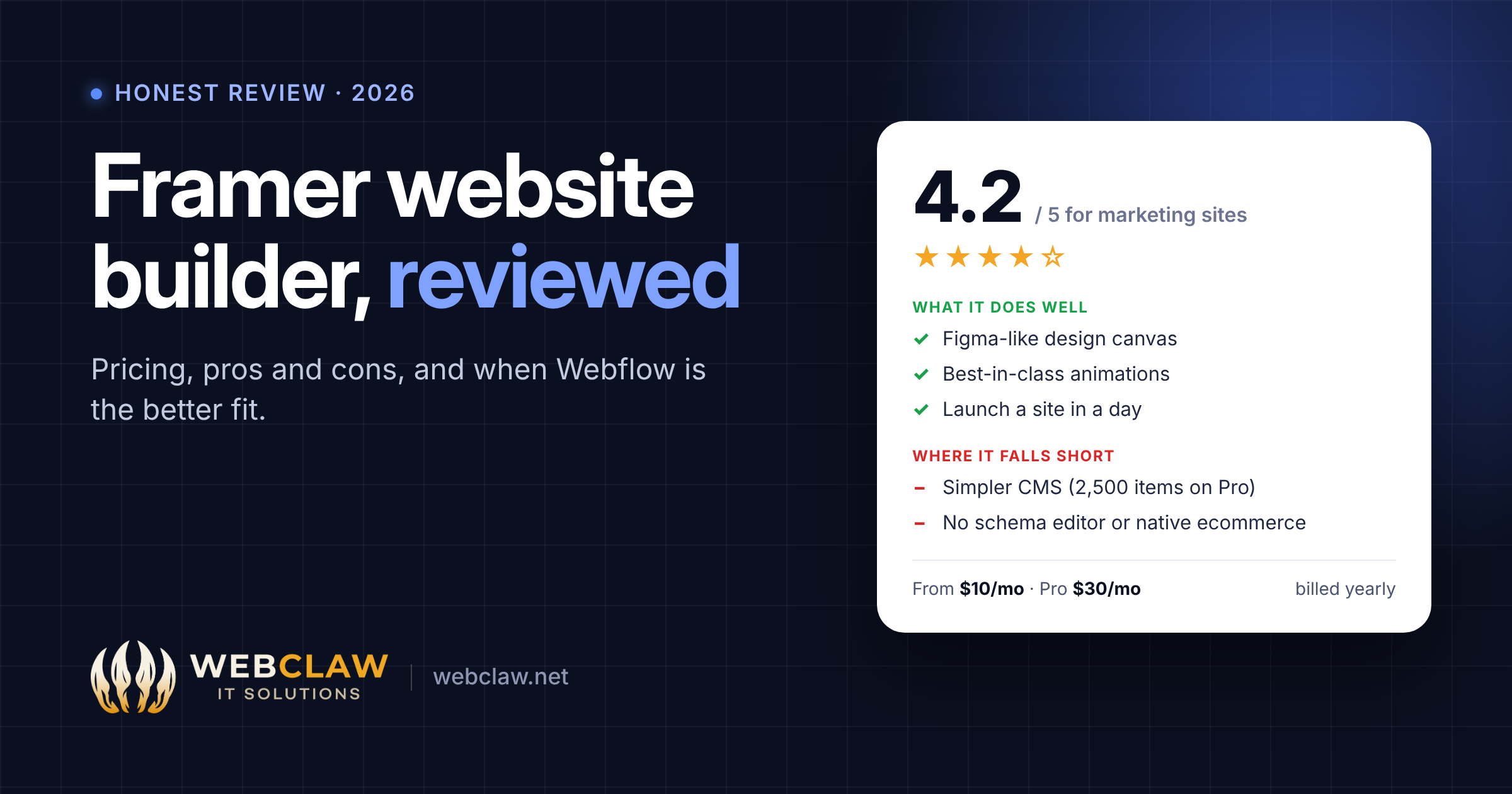
Framer is the fastest way for a designer to turn an idea into a beautiful, live marketing site. Its canvas feels like Figma, its animations are the best of any no-code builder, and its AI can draft a full page from a prompt. Where it falls short is depth: the CMS is simpler, SEO controls are thinner, and there's no native ecommerce.
We build Webflow sites for a living and regularly move clients off Framer when they outgrow it, so this review covers both sides honestly, including when Framer is the right choice.
Framer started as a prototyping tool for designers and has become a full website builder with hosting, a CMS and AI built in. You design on a free-form canvas, much like Figma, and publish straight to a fast global CDN.
The main parts:
It's popular with startups. One 2026 analysis found Framer behind 13.7% of recent Y Combinator startup homepages, ahead of Webflow at 10.2%.
Framer charges per site. Prices below are billed yearly, as reported in October 2026.
Add-ons that change the real cost:
Example: a Pro site with three extra editors costs about $90 a month. Add two languages and it's about $130. That's comparable to Webflow once you add seats; see our Webflow pricing guide for the side-by-side numbers.
If you design in Figma, Framer feels familiar within an hour. Free-form layout, auto-layout stacks and real-time collaboration make it the quickest way for a designer to build without handing off to a developer.
Scroll effects, hover states, page transitions and appear animations are built in and easy to tune. Effects that need careful setup in other builders take minutes in Framer.
A simple marketing site or landing page can go from idea to live in a day. The AI tools help with first drafts, and publishing takes one click.
Pages are rendered on the server and served from a global CDN, so they load fast and Google can read them without running JavaScript. Sitemaps, robots.txt, canonical tags and Open Graph tags are generated automatically.
Marketers can edit content on the canvas, and built-in analytics and A/B testing on paid plans mean fewer third-party tools for basic optimization.
These are the reasons clients come to us to move off Framer.
Framer's CMS handles blogs and case studies well, but relationships between collections are limited, and the Pro plan caps you at 10 collections and 2,500 items unless you pay for add-ons. Sites with resources hubs, filtering, multi-level categories or programmatic pages hit those limits quickly.
The basics are automatic, but there's no built-in schema editor (JSON-LD has to go in custom code), no automatic hreflang for multilingual sites, and bulk and pattern-based redirects are weaker than in Webflow. Custom code on CMS templates applies to every item, which makes per-page schema harder.
There's no product catalog, cart, checkout or inventory. You can embed tools like Shopify's Buy Button, but anything beyond a few products needs a dedicated platform.
The $30 Pro plan looks cheap until you add editors at $20 each, translations at $20 per language, and CMS or bandwidth add-ons.
The free-form canvas is great for designers, but without a class system or naming convention, large sites become hard for other people to maintain. Developers who want structured CSS often find it frustrating.
You can't export a working Framer site to host elsewhere. Moving away means rebuilding.
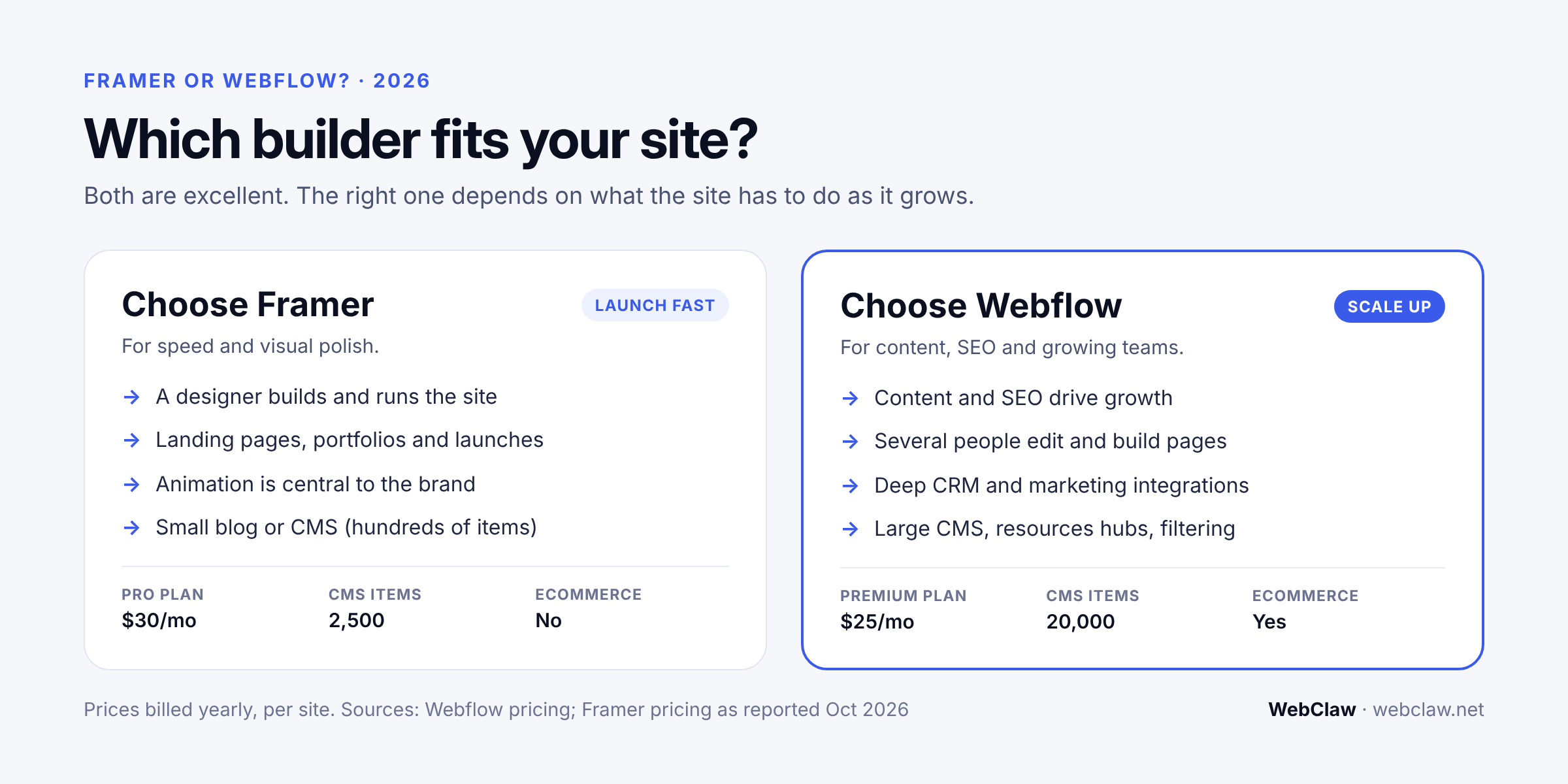
For a deeper side-by-side, read our Webflow vs Framer post.
That's common, and it isn't a mistake: Framer is a great way to launch. When you hit CMS limits, need deeper SEO, or your team grows, moving to Webflow keeps your design and adds the structure. We handle Framer to Webflow migrations, including content, redirects and SEO settings.
Yes, for design-led marketing sites, landing pages and portfolios. It's one of the fastest builders to launch with and has the best built-in animation tools. It's less suited to large content sites, complex CMS needs or ecommerce.
Framer has a free plan on a Framer subdomain. Paid plans start at $10 a month (Basic) and $30 a month (Pro) per site, billed yearly. Extra editors cost $20 a month each, and each translated language costs $20 a month.
Framer handles SEO basics well: server-rendered pages, automatic sitemaps, meta tags and canonical tags. It's weaker for advanced SEO, with no built-in schema editor, no automatic hreflang, and simpler redirect tools than Webflow.
Not natively. Framer has no cart or checkout. You can embed third-party tools such as Shopify's Buy Button, but larger stores should use Shopify or Webflow Ecommerce.
Framer is faster and easier for designers launching a simple site. Webflow is stronger for growing sites that need a deeper CMS, finer SEO control, structured class systems and native ecommerce.
No. Framer doesn't offer a full code export to host elsewhere. Moving to another platform means rebuilding the site.
Yes. Framer's AI can generate page layouts and copy from a prompt, rewrite text and translate content. Plans include monthly AI credits.
WebClaw rebuilds Framer sites in Webflow on a clean Client-First structure, keeping your design and moving your content, URLs and SEO settings, so you get room to grow without losing rankings.
Get a Quote → · See How We Migrate →