Webflow Alternatives (2026): 7 Builders Compared by a Webflow Partner
TABLE OF CONTENT
November 25, 2026
Webflow is our main platform. As a Certified Webflow Partner we build on it every week, and we still send some clients elsewhere. The right builder depends on what the site has to do, who will run it and how much it needs to grow.
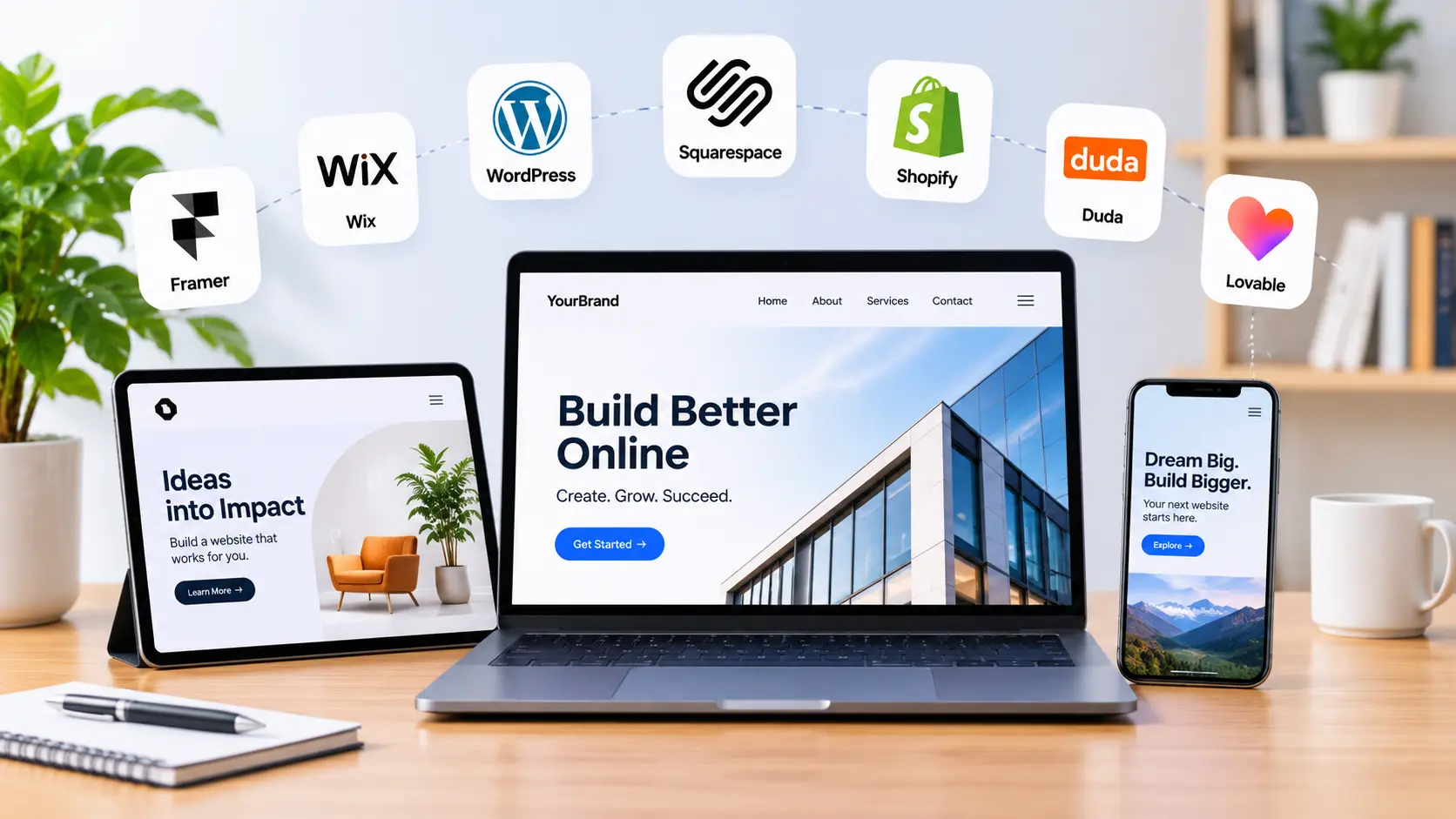
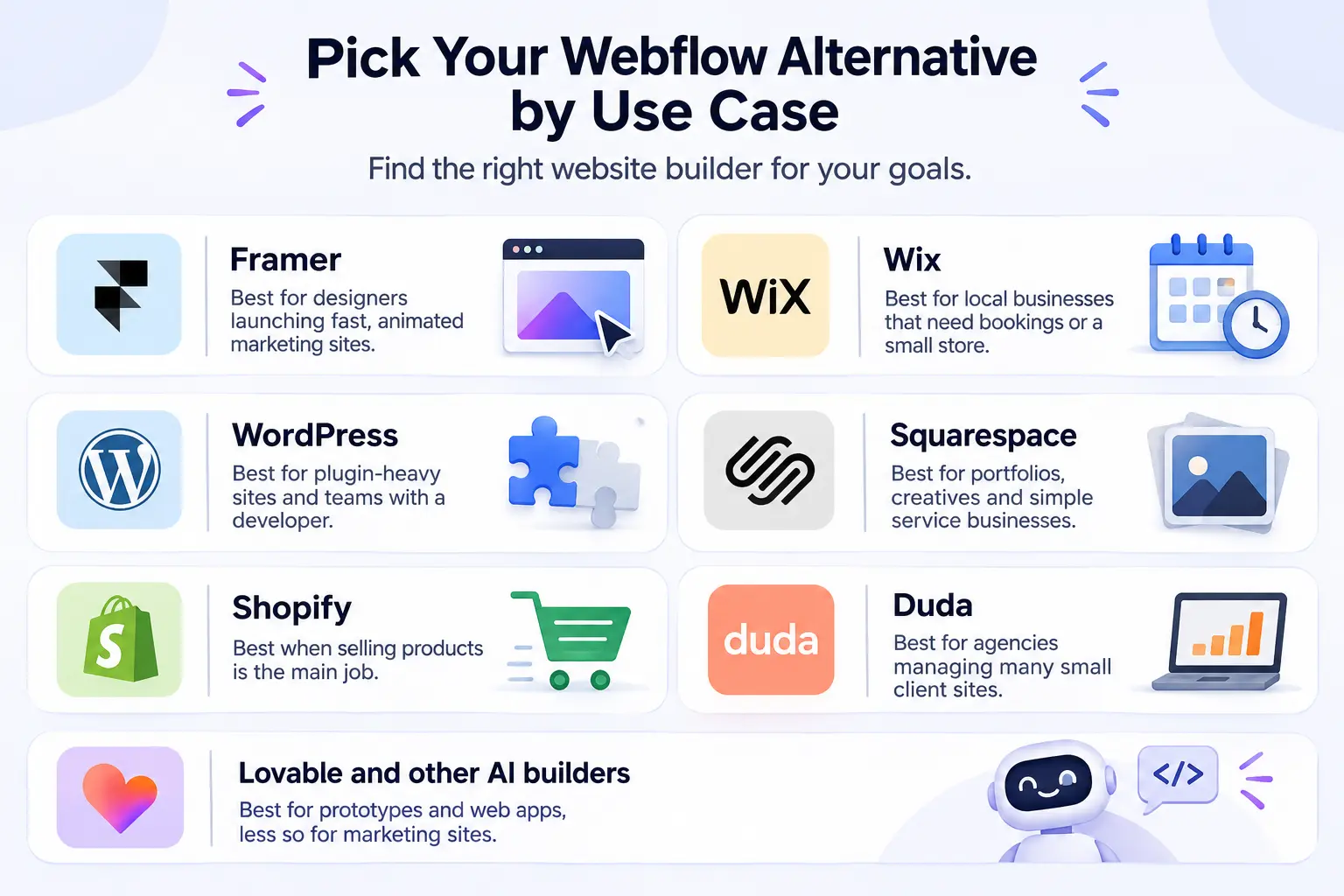
Here's the short version:
Framer: best for designers launching fast, animated marketing sites. From $10/mo.
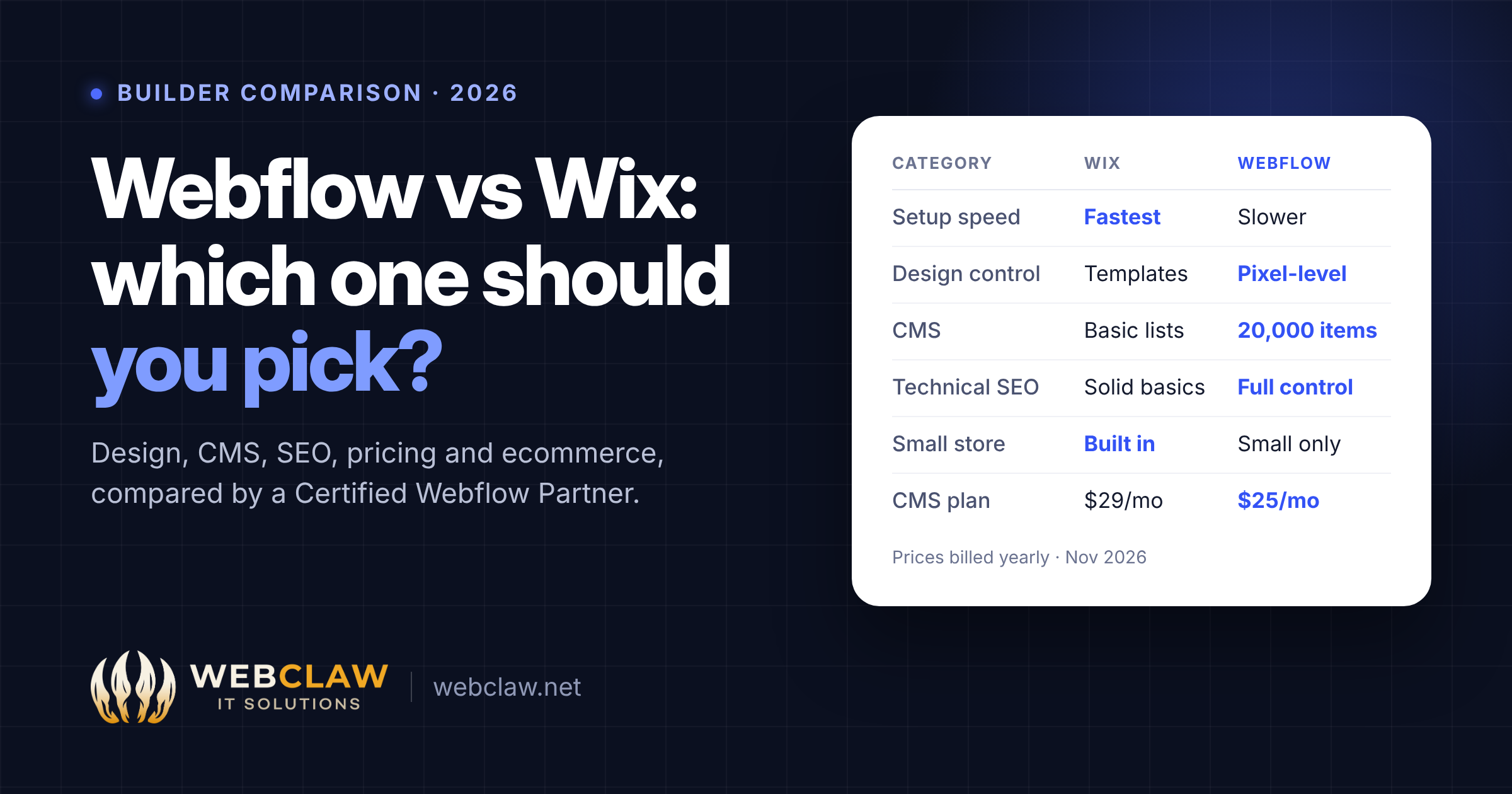
Wix: best for local businesses that need bookings or a small store and will run the site themselves. From $17/mo.
WordPress: best for plugin-heavy sites and teams with a developer. The software is free; hosting costs extra.
Squarespace: best for portfolios, creatives and simple service businesses. From $19/mo.
Shopify: best when selling products is the main job. From $29/mo.
Duda: best for agencies managing many small client sites. From $19/mo.
Lovable and other AI builders: best for prototypes and web apps, less so for marketing sites. From $21/mo.
All prices are billed yearly as of November 2026.
Why People Look for a Webflow Alternative
The reasons we hear most often from prospects:
The learning curve. Webflow works like real CSS, so building from scratch takes weeks to learn.
Cost for small sites. Once you add a site plan, Workspace seats and paid apps, a simple brochure site can cost more than it needs to.
Ecommerce limits. Webflow Ecommerce suits small catalogues, not large inventories or subscriptions.
Missing built-ins. Bookings, memberships and complex logic often need third-party tools.
Platform changes. The May 2026 plan restructure and the Legacy Editor shutdown in October left some teams re-evaluating.
If one of these is your blocker, one of the seven builders below will probably suit you better. If your site is a growth channel driven by content and SEO, read the last section before you switch.
1. Framer: Best for Fast, Animated Marketing Sites
Framer feels like Figma that publishes. Designers can lay out a page, add scroll animations and go live the same day, and the AI tools can generate a first draft from a prompt.
Pricing: Basic $10/mo, Pro $30/mo (billed yearly). Extra editors cost $20/mo each.
Strengths: a design canvas that feels like Figma, best-in-class animations, very fast launches.
Weaknesses: Pro caps the CMS at 2,500 items and 10 collections, there's no native ecommerce, and there's no schema editor.
Choose it over Webflow if: a designer owns the site and it's mostly landing pages, a portfolio or a product launch.
Wix is the quickest route from nothing to a working business site. Wix Harmony, launched in January 2026, builds pages from a prompt through its AI agent Aria. Studio Two, launched November 2, gives agencies an infinite canvas and React code export.
Pricing: Light $17/mo, Core $29/mo, Business $39/mo, Business Elite $159/mo (billed yearly).
Strengths: built-in bookings, stores, events and restaurant tools; a huge app market; very easy editing.
Weaknesses: less design precision, a heavier page framework, and CMS limits of 1,500–4,000 items on the cheaper plans.
Choose it over Webflow if: you'll run the site yourself and need bookings or a small store working this week.
3. WordPress: Best for Plugin-Heavy Sites With a Developer
WordPress still runs a huge share of the web. It's open source, so you can host it anywhere, extend it with tens of thousands of plugins and own every line of code.
Pricing: the software is free. Managed hosting typically runs $10–$50+/mo, plus premium themes, plugins and developer time.
Strengths: total flexibility, WooCommerce for stores, membership and LMS plugins, and no vendor lock-in.
Weaknesses: you own the upkeep, including updates, security patches, backups and plugin conflicts. Page builders can make sites slow.
Choose it over Webflow if: you need functionality no hosted builder offers, or you have a developer on retainer anyway.
We move a lot of sites the other way, from WordPress into Webflow, because teams get tired of maintenance. If that's you, see our Webflow maintenance checklist for how much lighter upkeep is.
4. Squarespace: Best for Portfolios and Creatives
Squarespace is known for polished templates that look good with almost no effort. It suits photographers, consultants, restaurants and small service businesses that want a beautiful site without thinking about structure.
Pricing: Basic $19/mo, Core $29/mo, Plus $49/mo, Advanced $99/mo (billed yearly). Basic adds a 2% fee on physical product sales.
Strengths: beautiful templates, built-in scheduling, email campaigns and simple commerce, and very little that can break.
Weaknesses: limited layout freedom, a basic blog-style CMS, and less control over technical SEO.
Choose it over Webflow if: you want a great-looking site in a weekend and don't plan to scale content.
5. Shopify: Best When Selling Products Is the Main Job
If most of your revenue comes from a cart, Shopify is the standard. It handles inventory, variants, subscriptions, POS and multichannel selling far better than Webflow Ecommerce.
Pricing: plans start at $29/mo billed yearly, with higher tiers for larger stores and Shopify Plus for enterprise.
Strengths: the most complete commerce stack, a huge app ecosystem, and checkout that converts well.
Weaknesses: less design freedom on content pages, apps add up quickly, and blogging and CMS tools are basic.
Choose it over Webflow if: you sell more than a handful of products.
6. Duda: Best for Agencies Running Many Small Client Sites
Duda is built for agencies and SaaS platforms that manage dozens or hundreds of similar sites. Client management, permissions, templates and white-label options are part of the core product.
Pricing: Basic $19/mo, Team $29/mo, Agency $52/mo, White Label $149/mo (billed yearly).
Strengths: multi-site management, client permissions, reusable templates, and solid page speed out of the box.
Weaknesses: less design flexibility than Webflow, a smaller community, and fewer resources for learning.
Choose it over Webflow if: you sell many low-cost local-business sites and need to manage them at scale.
7. Lovable and Other AI Builders: Best for Prototypes and Web Apps
AI app builders such as Lovable and Bolt turn a written prompt into a working React app with a backend. For founders testing an idea, they're remarkable.
Pricing: Lovable Pro is $25/mo, or $21/mo billed yearly, for 100 credits. Business is $50/mo. Custom domains and code download start at Pro.
Strengths: a working product in hours, real code you can sync to GitHub, and built-in hosting and database.
Weaknesses: no visual CMS for a marketing team, credit costs that climb as you iterate, and SEO that depends on how the app is rendered.
Choose it over Webflow if: you're building an app or an MVP, not a content-driven marketing site.
A pattern we see often is an app built in Lovable plus a marketing site rebuilt in Webflow so the team can publish without prompting. We migrate Lovable and Bolt marketing sites into Webflow for exactly that reason.
When You Should Stay on Webflow
Switching platforms costs a rebuild, a redirect map and weeks of risk to your rankings. Stay on Webflow if:
Content drives your growth. No alternative here matches Webflow's CMS: 20,000 items on Premium ($25/mo), reference fields and one template per collection.
SEO is a channel you invest in. Clean markup, CMS-driven schema, per-page canonicals and bulk wildcard redirects are hard to match.
A marketing team edits the site. Editors change content without touching the design.
You run paid traffic. Fast static pages and native A/B testing with Webflow Optimize help landing pages convert.
If your real problem is that Webflow feels hard or expensive, the fix is often a better build rather than a new platform. A clean Client-First structure and the right plan cut both problems. That's what our Webflow agency team does. You can also check whether you're on the right plan in our Webflow pricing guide.
Frequently Asked Questions (FAQ)
What Is the Best Alternative to Webflow?
For designers, Framer. For small businesses that DIY, Wix or Squarespace. For stores, Shopify. For developers who want full control, WordPress.
Is There a Cheaper Alternative to Webflow?
Framer Basic ($10/mo) and Wix Light ($17/mo) start cheaper. For a CMS site, though, Webflow Premium at $25/mo is competitive with Wix Core ($29/mo) and Squarespace Core ($29/mo).
Is Framer Better Than Webflow?
For fast, animated landing pages, often yes. For large CMS sites, technical SEO and team editing, Webflow is stronger.
Is WordPress Better Than Webflow?
WordPress is more flexible but needs ongoing maintenance. Webflow trades some flexibility for hosting, security and updates handled for you.
Can I Move From Webflow to Another Builder?
Yes. Webflow exports HTML/CSS, and CMS collections export as CSV. You'll rebuild the design on the new platform and need 301 redirects to keep rankings. Our 301 redirects guide explains how.
Tarun
Founder and CEO
Tarun is the founder and CEO of WebClaw IT Solutions, a Webflow design and development studio in Jaipur, India. WebClaw holds a 5.0 rating across 140+ Upwork reviews from clients worldwide.